
MyDevoted
Devoted Health, Inc.Medical
4.7148.00 Reviews
- Version
- 1.0.8
- Installs
- 100.00K
- Age Rating
- Everyone
Screenshots
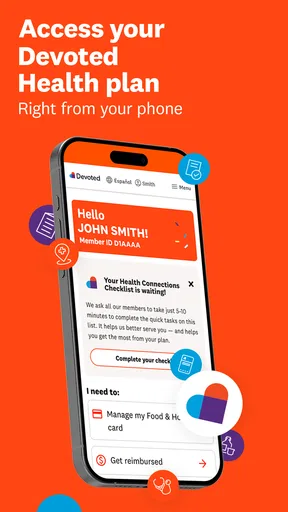
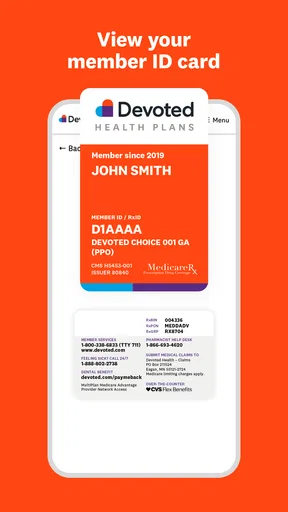
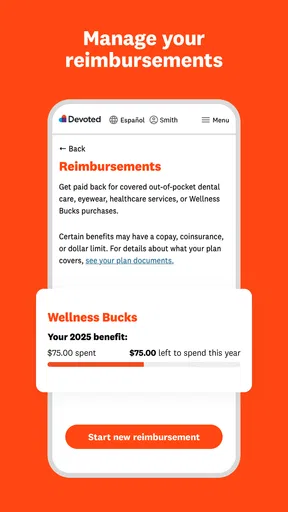
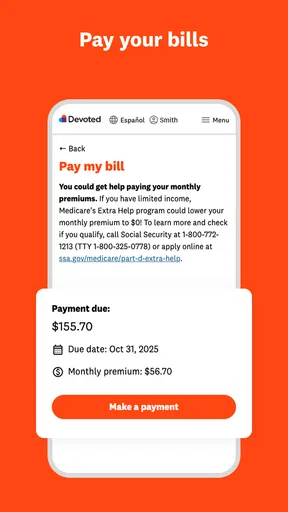
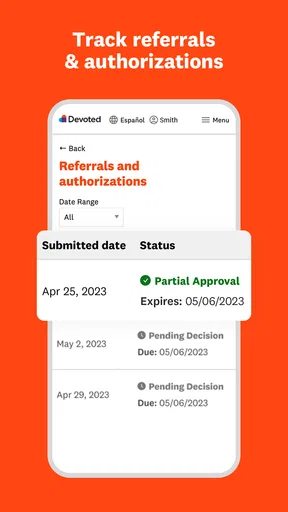
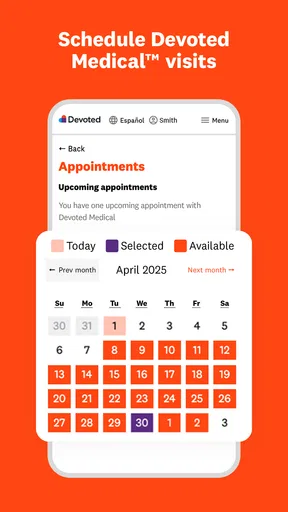
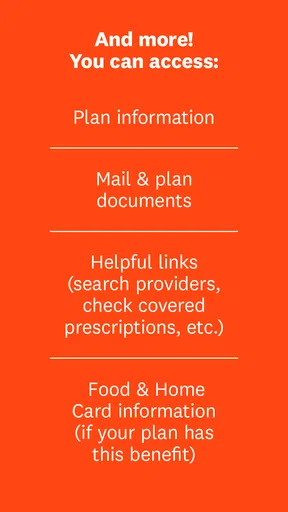
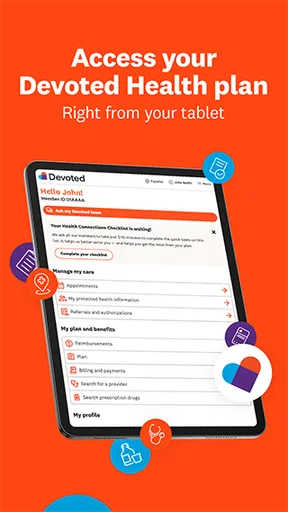
Our Review of MyDevoted
 Analysis by Appyee
Managing health benefits is rarely difficult because of one complicated task. The real problem is the chain around it: remembering what your plan includes, finding the right information before an appointment, checking a benefit while away from home, and knowing where to go when a question cannot be answered by a screen. MyDevoted is designed for that everyday gap. It is a free medical app from Devoted Health, Inc. that puts Devoted benefit management into a mobile format, and I found its main value in reducing the number of separate steps between “I need to check something” and “I know what to do next.”
I would describe it as a practical companion for people who already use Devoted benefits rather than as a general health tracker. It is not trying to replace a doctor, a pharmacy conversation, or urgent medical care. Its job is more administrative and organizational: helping you handle benefit-related tasks when you are at home, preparing for care, or standing somewhere without access to your usual paperwork.
From a benefits question to a clear next step
The most useful way to judge MyDevoted is to follow a realistic situation. Imagine I am preparing for an appointment and want to confirm what my Devoted plan can help with. With a paper folder, I might search through letters, call a service number, or wait until I am back at a computer. With the app, the starting point is more direct: open the mobile account, look through the relevant benefit information, and use that information to decide whether I need to contact someone or continue with my appointment planning.
That sounds simple, but simplicity matters in this category. Health-plan information is often consulted at inconvenient moments. I may be in a clinic lobby, speaking with a family member, or trying to remember a detail while arranging care. A mobile app makes the first lookup more immediate than a binder stored at home. The benefit is not that every question disappears; it is that the first handoff—from uncertainty to available plan information—can happen in the same place.
During my review, I treated the app as a tool for preparation rather than a source of medical advice. That distinction is important. If I have symptoms, need a diagnosis, or face an emergency, I would not use a benefits app as my clinical solution. I would contact the appropriate healthcare professional or emergency service. MyDevoted is better suited to the practical layer surrounding care: understanding and managing the benefits connected to my Devoted coverage.
The app is listed in the Medical category, but that label can create the wrong expectation if someone is looking for medication reminders, exercise plans, symptom analysis, or a telehealth service. I would choose it for benefit administration, not for ongoing personal health monitoring. People who want one place to track blood pressure, prescriptions from several providers, or appointments across unrelated systems should look for a different kind of app.
Setting it up with the right expectations
The first useful decision is whether I am actually part of the Devoted Health ecosystem. Since the app is developed by Devoted Health, Inc., its usefulness depends on having a reason to manage Devoted benefits. Someone without Devoted coverage may be able to install it, but that does not make it a meaningful choice for them. I would not recommend downloading it simply because it appears in a medical app search.
The app is free, which removes one barrier to trying it. It is marked for Everyone, and the minimum operating-system requirement is Android 7.0 or later. That makes it approachable for people who do not use the newest phone, although the experience still depends on the device working smoothly and on the user being comfortable with account access. In practice, the most important preparation is not technical: have the information needed to identify the correct Devoted account and allow enough time to read benefit details carefully rather than rushing through them before an appointment.
I also recommend deciding in advance what question I am trying to answer. “What are my benefits?” is too broad to be efficient. A more useful starting point is “I need to understand this benefit before I make a call,” or “I want to check my plan information before speaking with a provider.” That narrower goal makes the app easier to evaluate and reduces the chance of confusing general plan information with a personal medical decision.
Following the mobile workflow
Once I open the app, I approach it as a guided lookup rather than as a feed that I browse casually. I first identify the benefit or account area related to my immediate need. Then I read the wording closely, noting any conditions, limits, or instructions that affect what I should do next. This is one of the less obvious strengths of a dedicated benefits app: it can keep the relevant plan context closer than a general search engine, where results may be outdated, unrelated, or written for a different insurer.
That context is especially useful when I am comparing two possible actions. For example, I may be deciding whether to call a plan contact, ask a provider’s office a question, or gather more information before scheduling something. The app does not eliminate that decision, but it can help me begin with the correct Devoted information instead of relying on memory. My practical tip is to read the benefit description all the way through before making the call. Skimming the first line may leave out the detail that determines which person or department should handle the next step.
A second useful habit is to use the app before—not during—the most stressful part of the process whenever possible. Checking information at home gives me time to write down the exact question I still have. Then, if I need to contact a representative or speak with a provider, I can explain the issue more clearly. This turns the app into a preparation tool, not just a last-minute lookup screen.
The current version is 1.0.8, so I would keep a realistic expectation about polish and workflow maturity. A version number alone does not tell me how every screen behaves, but it does remind me that this is a relatively focused product rather than a huge, long-established health platform. I would keep another way to access important plan information available until I am confident that the app covers the situations I personally encounter.
Where the handoffs happen
The app’s real-world value appears at the handoffs. The first handoff is from me to the app: I bring a question about my Devoted benefits and look for the relevant information. The second is from the app back to me: I interpret what I see and decide whether it answers the question. The third may involve another person, such as a provider’s office or a Devoted support contact. MyDevoted can make the first two steps more organized, but the final answer may still require human help.
That is not necessarily a weakness. Benefit language can be precise, and a mobile screen cannot always replace a conversation about a particular situation. I would rather use the app to arrive at a support call with a focused question than expect it to make a complicated eligibility or coverage decision on its own. The best workflow is therefore collaborative: check the app, identify the uncertainty, then hand that uncertainty to the appropriate human channel.
There is also a handoff between the member and a healthcare provider. If I am discussing care, I need to separate “my plan information says this benefit exists” from “this service is clinically right for me.” The former belongs to the benefits workflow; the latter belongs to a qualified healthcare professional. Keeping those roles separate prevents one of the most common mistakes with medical apps: treating administrative information as medical guidance.
For a family member helping someone else, this distinction becomes even more important. I might use the app to help organize questions or prepare for a conversation, but I should not assume that seeing benefit information automatically gives me permission to make decisions for another person. The app can support coordination, while the actual handoff still depends on the member, the provider, and the plan’s normal processes.
What the workflow accomplishes
When the workflow goes well, the result is modest but valuable: I spend less time wondering where to begin. I can check Devoted-related information from a phone, prepare a clearer question, and move into a call or appointment with better context. That is a more realistic benefit than expecting the app to solve every insurance problem.
The app’s public reception also suggests that many users find this focused purpose worthwhile. It holds a 4.6 average from around 305 ratings, with more than a hundred written reviews, and has passed 50 thousand installs. Those figures do not guarantee that it will suit my exact plan or phone, but they indicate that the app has found an audience among people looking for a mobile way to manage Devoted benefits.
I like that the app is free because benefit management should not feel like an optional premium feature. The lack of a purchase decision makes the evaluation straightforward: if I use Devoted benefits and want mobile access, trying the app is reasonable. The more important question is whether its workflow fits my habits. Someone who rarely uses a smartphone may still prefer printed documents or a phone call, while someone who already handles appointments and messages digitally may appreciate having plan information nearby.
Compared with a general insurer website, a dedicated mobile app can feel more convenient when I am away from a desktop. Compared with paper documents, it can be easier to search or consult at the moment a question appears. Compared with calling first, it may help me frame the issue before I spend time waiting for assistance. The trade-off is that a website or representative may still be better for complex cases, and paper can remain useful as a backup when my phone is unavailable.
Where the process breaks down
The biggest limitation is the boundary between information and resolution. If I need a nuanced explanation of coverage, the app may only take me part of the way. I may still need to contact Devoted or speak with a provider. That extra handoff can feel frustrating if I expected a single-screen answer, but it is also where I should be cautious: a confident-looking summary is not a substitute for confirming a complicated benefit question.
Another friction point is the dependence on mobile access. A phone may have a weak connection, a low battery, or a screen that is difficult for someone with limited vision or dexterity. A person who is uncomfortable signing in or navigating digital services may find the app less convenient than a conversation with a representative. In those situations, I would use MyDevoted as an optional aid rather than forcing it to become the only route.
I would also avoid relying on a remembered screen for a high-stakes decision. Benefits can be personal and context-sensitive, so I would check the current information in the app and ask for clarification when the wording does not clearly answer my situation. A useful workflow tip is to record the question, not just the apparent answer: note what service or circumstance I was checking, then confirm the next step with the appropriate contact if anything remains unclear.
People looking for a broad health-management platform should probably skip this app. It is not the right choice if my priority is fitness tracking, symptom journaling, medication organization across many providers, or a general medical reference library. I would also look elsewhere if I need one dashboard that combines several unrelated insurance plans. MyDevoted makes more sense when the central need is specifically managing Devoted benefits from a mobile device.
Who will get the most from it
I think the strongest audience is a Devoted member who frequently has practical benefit questions and prefers checking information independently before calling. It is also useful for someone who helps a family member prepare for appointments, provided that person respects the difference between organizing information and making healthcare decisions. The app can save time when the alternative is searching through papers or starting every question with a phone call.
It is less compelling for someone who already has a reliable routine with printed plan materials and rarely needs to check benefits while away from home. It may also be a poor fit for a user who expects immediate personalized answers to complicated coverage situations. In that case, the app can still be a starting point, but direct support is likely to remain the better final step.
After using it as a benefits-management tool, my view is positive but measured. MyDevoted is most useful when it turns a vague benefits concern into a specific next action. It does not replace medical professionals, plan support, or careful reading, and it should not be treated as a universal health app. But for the right user, its focused purpose is exactly the advantage: Devoted information is available in the place where many everyday questions now begin—the phone.
Devoted Health, Inc. has made a straightforward choice by concentrating the experience on its own benefits rather than trying to become an all-purpose wellness platform. With a free download, an Everyone age rating, and a focused mobile workflow, I would recommend it to Devoted members who want a convenient first stop before an appointment, a call, or a benefits decision. I would simply keep the handoffs in mind: use the app to prepare, verify when the situation is complex, and involve the right person whenever the answer affects actual care.
Privacy and Permissions
See what permissions an app requests and how it handles your data.
- Photos/Media/Files
- read the contents of your USB storage, modify or delete the contents of your USB storage
- Storage
- read the contents of your USB storage, modify or delete the contents of your USB storage
- Camera
- take pictures and videos
- Microphone
- record audio
- Other
- view network connections, full network access, change your audio settings, run at startup, draw over other apps, control vibration, prevent device from sleeping, Google Play license check
Verdict
Strengths of MyDevoted
- Simple access to church services, sermons, and devotional content.
- Helps users stay connected with their church community remotely.
- Convenient way to find faith-based updates in one place.
- Useful for following church announcements and upcoming events.
- Supports regular spiritual engagement through mobile access.
Limitations of MyDevoted
- Content may depend heavily on the participating church or organization.
- Some features may require an account or church-specific access.
- App usefulness can be limited outside supported communities.
- Notifications may feel excessive if too many updates are enabled.
- Performance and content availability may vary by device or connection.
Similar Picks in This Category
View All
WebMD: Symptom Checker
WebMD, LLC4.1

Microphone Amplifier
DOSA Apps4.2

Anatomy Learning - 3D Anatomy
3D Medical OU4.5

Period Tracker and Calendar
SimpleInnovation4.9

GoodRx: Prescription Coupons
GoodRx4.8

CVS Health
CVS Pharmacy4.5
Frequently Asked Questions
What is MyDevoted and what can I use it for?
MyDevoted is the official mobile app for Devoted Health members. After signing in, users can generally access their health plan information, review benefits, find care and coverage details, manage prescriptions, view claims, and contact member support. The exact tools available depend on your Devoted plan, location, and membership status, so the app may display different options for different users.
Who can use the MyDevoted app, and how do I sign in?
MyDevoted is primarily intended for eligible Devoted Health members and, where supported, authorized caregivers or representatives. To use the app, you typically need an active Devoted account and the login details associated with your member profile. New users may need to register first, while existing users can sign in and follow any identity-verification or security prompts shown during setup.
Can I use MyDevoted to view my insurance benefits and claims?
Yes, the app is designed to make important plan information easier to access from a phone. Depending on your plan, you may be able to review coverage details, member information, claims activity, costs, and related documents. Information can take time to update, and displayed benefits are not a replacement for your official plan documents or confirmation from Devoted Health when a coverage decision is important.
Does MyDevoted help me find doctors, pharmacies, or other healthcare services?
MyDevoted may provide tools for locating in-network providers, pharmacies, care options, and other services connected with your Devoted Health plan. Search results can depend on your plan, service area, selected filters, and current network data. Before scheduling an appointment or receiving care, it is wise to confirm that the provider still accepts your specific plan and that the service is covered.
Is MyDevoted safe to use, and what should I do if the app does not work?
MyDevoted handles sensitive healthcare and insurance information, so users should download it only from the official Google Play Store or Apple App Store, keep the app updated, and avoid sharing passwords or verification codes. If you experience login problems, missing information, crashes, or difficulty accessing benefits, use the support options in the app or contact Devoted Health through its official website or member services.
